A tracker for the things you want to notice.
Type what you spent or did in one line. Keeplog keeps count and shows you how it adds up. It all stays on your phone, and there is no account to make.
Not in the app stores yet. Links will go here.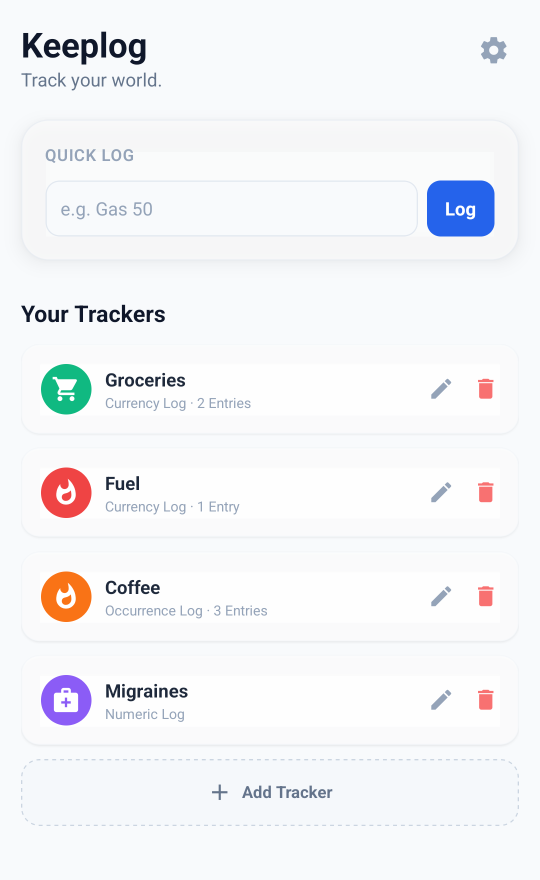
Log it in one line
Type into the box at the top of the app and tap Log. It takes a couple of seconds.
Gas 50logs an amountGas 50 filled up at Tescoanything after the amount is saved as a noteCoffee x3logs it three timesGas 50, Coffee 4.50two trackers in one lineGroceries 12.50 + 8.20adds up a receipt as you typeGas -20a refund
Check how you are doing
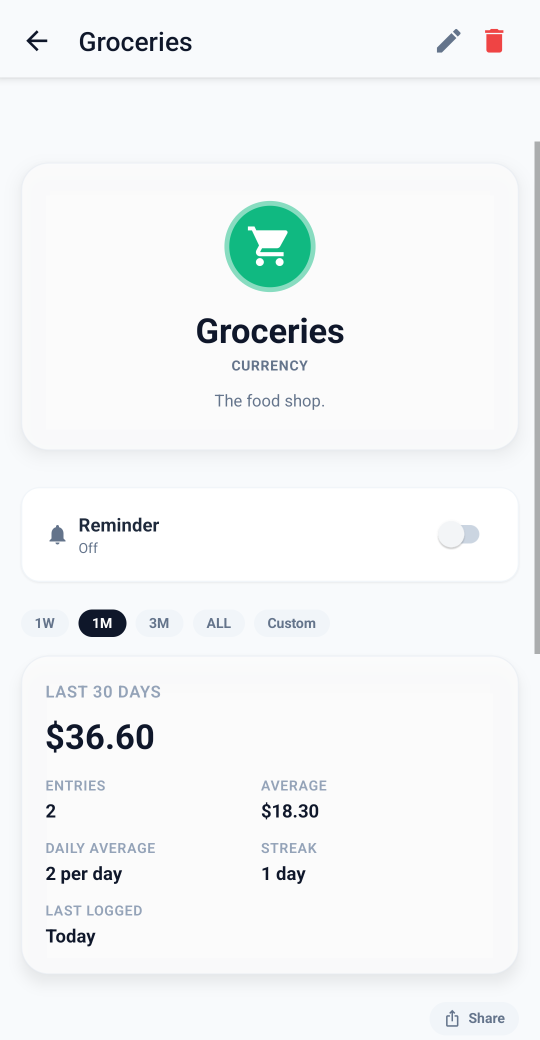
Each tracker has its own page with the total, the average, your streak and a chart. Switch between a week, a month and longer, and compare with the period before.
Nothing is pulled from your bank. You type in what you spend, so you see every amount as you log it, and cash works just as well.
Everything else
Money, numbers or counts
Track amounts in your own currency, numbers like hours slept, or things you only need to count, like cups of coffee.
Templates
Twelve to start from, including Fuel, Groceries, Eating out, Subscriptions, Sleep, Water and Migraines. Or make your own.
Charts and stats
Totals, averages, streaks and a calendar heatmap. View a week, a month, three months, all time, or dates you choose.
Compare with last time
Put this month next to last month, or this week next to last week.
Targets
Set a daily, weekly or monthly target and see how you are doing.
Reminders
Get a reminder to log, at a time you choose. They are set up on your phone.
Share a chart
Send a tracker chart to someone as an image.
Export
Save everything to a CSV file you can open in a spreadsheet.
Your data stays on your phone
There is no server holding it.
- No account or email address.
- Your trackers, entries and notes are never uploaded.
- No ads.
- Anonymous usage statistics are optional and off until you turn them on. They never include anything you logged.